
Technical clarity for better solar decisions.
Search official manufacturer specifications for solar panels, solar inverters, batteries, power meters, panel optimizers, rapid shutdown devices and balance-of-system equipment.
Explore the technical database
Product database
Product comparison
Select up to three products from the same category. Shared specifications are aligned automatically so important differences are easier to identify.
You can also add products using the Add to comparison button on any product card.
No products selected
Add two or three products to create a technical comparison table.
Document library
Search product datasheets, manuals, certificates, firmware links and manufacturer product pages recorded in the Solar Database.
Documents
Understand how solar equipment works
A practical introduction to the equipment commonly found in residential, commercial and utility solar systems.
From sunlight to usable electricity
PV panels feed a DC distribution box containing DC breakers, fuses and surge protection before solar inverters convert the electricity to AC. The AC distribution box contains breakers, protection relays and a power meter before the building load and bidirectional grid connection. Communication links connect the datalogger with the inverters, weather station and AC distribution equipment.
Solar Panel
Converts sunlight into DC electricity. Important specifications include maximum power, efficiency, operating voltage, current and maximum system voltage.
Solar Inverter
Converts DC electricity into grid-compatible AC electricity. Key values include rated output power, MPPT voltage range, input current and efficiency.
Battery
Stores electrical energy for use when solar production is low. Compare usable energy, nominal voltage, charge/discharge power and compatible inverter systems.
Panel Optimizer
Controls individual-panel operation to improve energy harvesting and monitoring, particularly where panels experience different shading or orientations.
Rapid Shutdown
Reduces conductor voltage during an emergency or shutdown event, supporting safer access around a solar array.
Power Meter and CT Clamp
Measure voltage, current and energy direction. They help an inverter manage export limitation, consumption monitoring and battery control.
Distribution Box
Groups and protects electrical circuits using suitable isolation, over-current and surge-protection components.
Panel Mounting
Secures panels to roofs or ground structures. Selection depends on roof type, material compatibility, wind loading and installation conditions.
Weather Station
Measures site conditions such as solar irradiance, ambient and module temperature, wind speed and wind direction so operators can compare expected and actual PV performance.
Datalogger
Collects operational data from inverters, meters, protection equipment and weather sensors. It sends records to the monitoring platform for alarms, analysis and maintenance.
Building Load
Represents the electrical demand used by equipment in the premises. Solar production serves the load first, while remaining demand or surplus is exchanged with the power grid.
DC and AC Current
Direct current (DC, ⎓) flows in one direction from panels and batteries. Alternating current (AC, ∿) repeatedly changes direction and supplies normal building and grid-connected equipment.
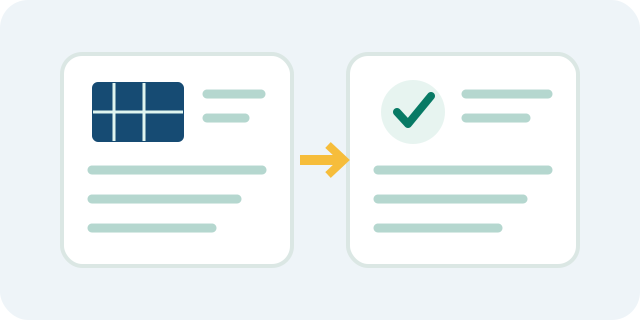
Compare compatible specifications
Start with the product category, then compare the priority specifications shown at the top of each product record. Always confirm compatibility using current manufacturer documentation and qualified engineering advice.
Technical feedback
Report an incorrect specification, suggest a product, or provide supporting documentation for review.
Feedback is reviewed and verified before it is implemented or otherwise resolved. A ticket number is shown after submission. When email delivery is configured, a receipt is sent automatically and later status emails are triggered by an Admin review decision.
Suggest a technical correction
Submit a correction supported by an official manufacturer source. A submission never changes the public database automatically; it must be checked, approved and separately implemented by Admin.
Privacy, terms & technical disclaimer
Important information about the use of this independent solar technical knowledge base.
Technical information disclaimer
Product information is provided as a technical reference and may be revised by manufacturers without notice. Users should verify critical specifications, compatibility, certifications, design limits, installation requirements and warranty conditions against the latest official manufacturer documentation before relying on the information for engineering, procurement, installation, operation or safety decisions.
mySolar TechBuddy does not warrant that every entry is complete, current or error-free, and accepts feedback so that potentially outdated or incorrect information can be reviewed.
Feedback privacy notice
When feedback is submitted, the portal may process the name, email address, selected product/category, message, uploaded attachment, ticket status and technical request information supplied by the submitter. This information is used to receive, verify, administer and respond to technical feedback, maintain an audit trail of submissions, and protect the portal from spam or misuse.
Feedback and attachments may be stored using the portal's cloud service providers and retained for as long as reasonably necessary for review, record-keeping, security and follow-up. Spam, unnecessary submissions and associated attachments may be deleted. Do not submit sensitive personal information that is not necessary for the technical request.
To request access, correction or deletion relating to a feedback submission, submit a new feedback ticket and clearly identify it as a privacy/data request together with the relevant ticket number.
AI assistant and analytics privacy
The AI Catalogue Assistant uses the wording of a submitted question temporarily to retrieve matching D1 catalogue records and generate a response. Full questions and conversations are not intentionally stored. A salted, one-way connection identifier and daily request count are retained temporarily for abuse prevention and rate limiting.
Visitor and usage analytics are retained to understand traffic, availability and feature demand. They are not intended to create advertising profiles. Do not enter personal, confidential, account, project-site or customer information into the assistant.
Feedback review
Every submission is subject to verification. A ticket confirms receipt only; it does not mean the information has been accepted as technically correct. Acknowledgement, implementation or rejection may take time where manufacturer documentation, supporting evidence or engineering review is required.
Independent database & third-party rights
mySolar TechBuddy is an independent technical database operated by Yorozuyadesu and is not affiliated with, sponsored by, or endorsed by the manufacturers shown on this site unless expressly stated otherwise. Manufacturer names, product names, logos and trademarks remain the property of their respective owners.
Third-party documents and product links are provided for technical reference. Where practical, the portal links to official manufacturer resources rather than claiming ownership of manufacturer documentation.
Copyright & portal intellectual property
© 2026 Yorozuyadesu. All rights reserved. Original portal source code, interface design, original written content, graphics created for the portal, and the original selection or arrangement of database material are reserved to Yorozuyadesu to the extent protected by law. This notice does not claim ownership of third-party trademarks, manufacturer documentation or other third-party intellectual property.
Contact
For privacy, copyright, technical correction and partnership enquiries, contact support@yorozuyadesu.com. A public office address & number is currently not provided.
Admin access
Sign in with the private credentials configured in Cloudflare. Credentials are never stored in the website source.